
Local SEO helps your business appear when people nearby search for services you offer — on Google Search and Google Maps. If you want more local customers, you must optimize your online presence properly.
Whether you run a shop, clinic, service business, or local brand, showing up on Google Maps and local search results can directly impact calls, visits, and sales. This guide breaks local SEO into clear, practical steps—in the exact order that works.
What is Local SEO?
Local SEO is the process of optimizing your business to appear in local search results—especially on Google Maps and the “Local Pack.” It helps potential customers near your location easily find your products or services.
When someone searches “best bakery near me,” Google wants to show the most relevant and trusted local businesses. That’s where SEO kicks in.
Why Local SEO Matters for Businesses
Local SEO isn’t just a strategy—it’s a necessity. Users searching in their area are typically ready to take action. Local SEO drives foot traffic and phone calls from customers who are already interested.
Even if you’re competing with bigger brands, Google maps seo gives you a strong chance to outrank them in your area.
Local SEO Guide: Step-by-Step
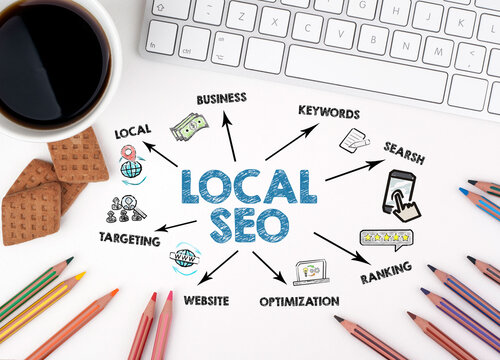
1. Optimize Your Google Business Profile
Your Google Business Profile (GBP) is the heart of Local SEO.
- Use an accurate business name
- Correct address with service area
- Most relevant business categories
- Add phone number and website link
Photos improve trust. Services help customers see what you offer instantly. Let users easily contact you from your listing.
2. Consistency in NAP (Name, Address, Phone Number)
Google rewards accurate information.
- Website footer
- Social media pages
- Directory listings (Yelp, Yellow Pages, etc.)
Even small mistakes like “Street” vs. “St.” can hurt rankings.
3. Use Local Keywords Strategically
Include:
- City names
- Neighborhood names
- “Near me” intent keywords
Where to Use Local Keywords
- Page titles
- Meta descriptions
- Headings and content
- Image alt text
Example: “Local SEO Services in Karachi”
4. Build Local Citations
A citation is any online reference that lists your business information.
- Bing Places
- Yelp
- Local Chamber of Commerce websites
Ensure each listing is accurate and updated.
5. Collect and Manage Online Reviews
Reviews impact visibility, trust, and click-through rate.
- Ask happy customers directly
- Use review request emails
- Add a review link on your website
Always respond to reviews politely—even negative ones.
6. Create Location-Based Content
Show that you’re active in your area!
- Local landing pages for each branch
- Blog posts featuring local events
- Guides like “Best Places to Visit in Lahore”
This boosts authority and relevance.
7. Create Local Pages That Actually Help Users
Instead of thin “city pages,” focus on useful local content.
- Location-based service pages
- FAQs specific to your area
- Local customer stories
- Area-specific guides or tips
Helpful content increases relevance and time spent on your site.
8. Mobile Optimization for Local Searches
Since most local searches happen on mobile:
- Ensure fast load speed
- Use clickable call buttons
- Create easy navigation
If users struggle to browse, they’ll bounce.
9. Local Link-Building Strategies
Earn backlinks from:
- Local blogs
- News websites
- Business partnerships
Sponsoring local charities or events is a great way to boost!
10. Use Schema Markup for Local SEO
Structured data helps Google better understand your business info.
- Business hours
- Ratings
- Business type
It increases your chance of appearing with enhanced search results.
11. Track and Measure Local SEO Performance
Use tools like:
- Google Analytics → Track traffic & behavior
- Google Search Console → Monitor keyword performance and indexing
- GBP Insights → Track calls, searches, and direction requests
Always refine your strategy based on data.
12. Keep Your Profile Active with Updates
Google prefers active businesses.
- Offers and promotions
- Service updates
- Announcements
- Tips or short posts
Fresh activity signals relevance and engagement.
How Long Does Local SEO Take to Work?
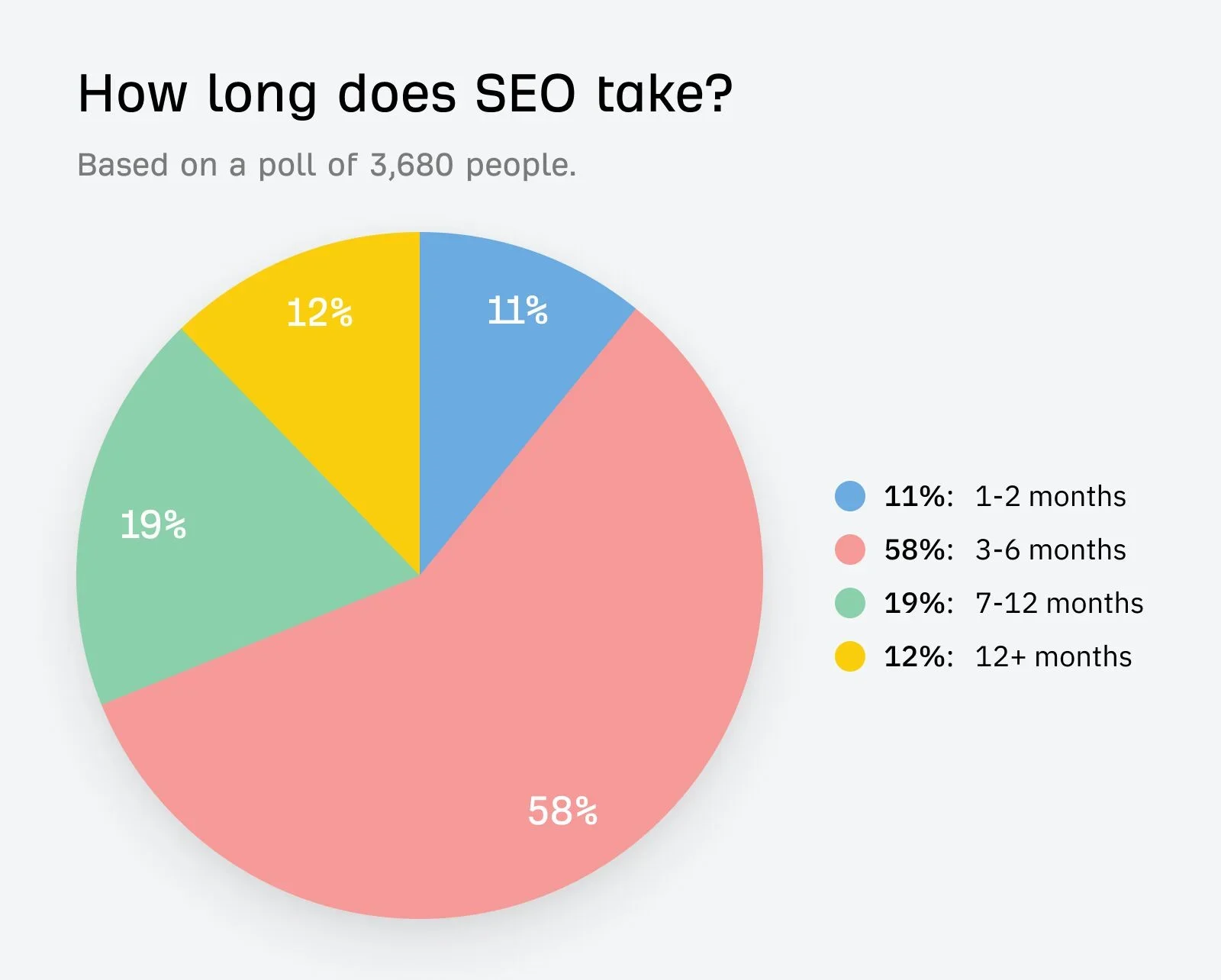
Local SEO is not instant, but the results are steady.
- Small improvements: 3–4 weeks
- Noticeable growth: 2–3 months
- Strong rankings: 3–6 months
Consistency beats shortcuts.
Common Local SEO Mistakes to Avoid
- Fake reviews
- Duplicate Google listings
- Wrong business category
- Ignoring Google Business Profile updates
- Lack of local content
Fixing these mistakes gives you a ranking advantage.
FAQs
1. How long before Local SEO delivers noticeable results?
Usually 2–3 months, depending on competition and how well you optimize.
2. Do I need a physical location for Local SEO?
Not always. Service-area businesses can still appear in Maps if optimized correctly.
3. Are reviews really important for ranking?
Yes! Reviews influence trust, click-through rate, and Google rankings.
4. Can social media improve Local SEO?
Indirectly, yes—brand searches and engagement can signal trust to Google.
5. What’s the difference between SEO and Local SEO?
SEO targets global/national audiences; Local SEO focuses on customers in your specific area.
Conclusion
Local SEO is about being helpful, accurate, and trustworthy. When Google understands your business clearly, it rewards you with visibility on Google Maps and local search results.
Follow these steps in order, stay consistent, and your business will earn stronger local rankings—without copying competitors or relying on shortcuts. Ready to get your business noticed on Google Maps? Start optimizing your Local search today!